TxMyZone: A Complete Guide to the Texas Student Portal, Course Requests, and Academic Planning
TxMyZone is a term associated with a web-based student portal used by participating Texas school districts. It has been connected with the TxEIS school information environment and has been used to give students access to academic planning tools, especially course requests and related school information. Official school websites still list txMyZone among their student resources, although the exact role and availability can vary by district.
For students and parents searching for “txmyzone,” one of the biggest challenges is knowing exactly what the name refers to. Search results can contain a mixture of current school links, older information, third-party articles, and unrelated websites using a similar name. That can make it difficult to determine whether a particular page is an official school resource.
The safest way to understand TxMyZone is to start with the school district that provides access to it.
TxMyZone is not best understood as a general social network or ordinary public website. In the Texas education context, it has been associated with student-facing school systems and, historically, with course-request and academic planning functions. Texas school and education resources continue to show links labeled “txMyZone,” while some districts have moved related functions toward newer ASCENDER-based portals.
This guide explains what TxMyZone is, how it fits into Texas school technology, what students and parents may use it for, how course planning works, why access can differ between districts, how to find the correct portal, common login problems, privacy considerations, and what the future of student portals may look like.
What Is TxMyZone?
TxMyZone is a student-facing web application associated with the Texas Education Information System, commonly known as TxEIS.
Historically, TxMyZone has been described as a student portal within the broader TxSuite environment. A Texas school district document described txMyZone as a “student portal” and explained that it was part of a group of web-based applications designed to facilitate communication among parents, students, and teachers.
Other official education resources continue to list txMyZone as a student link. For example, San Benito Consolidated Independent School District lists txMyZone among its student resources, while other Texas districts also provide access through their student pages.
One important point is that TxMyZone should not be confused with every website that happens to use the same or a similar name.
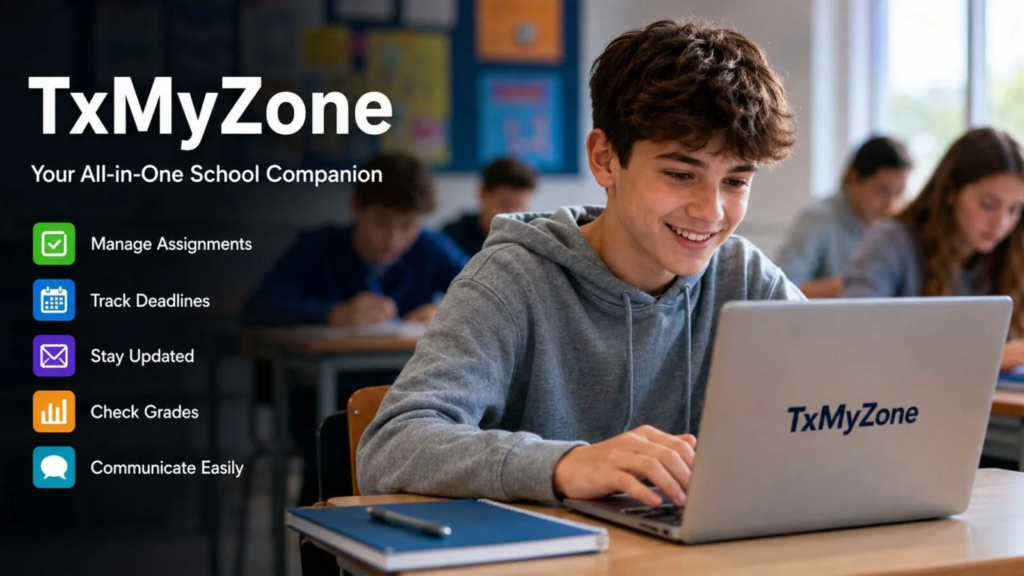
The name can appear in modern online articles that describe the service differently. Some descriptions are broader than the documented school-system use. Therefore, students and parents should rely on their district’s official website when trying to access an educational portal.
Also read:Eo Pis: A Complete Guide to Enterprise Operations Process Information Systems
What Does TxMyZone Do?
The exact features available through TxMyZone depend on the school district and the software configuration it uses.
Historically, one of its important purposes was student course selection.
Students could use the system to submit course requests for an upcoming school year. District-level scheduling documentation specifically references the “txMyZone Student Course Requests system” and instructions for students using it.
This is important because course selection is a major part of academic planning.
A student may need to decide which subjects to take in the next school year while also considering graduation requirements, interests, career goals, electives, and available classes.
A digital course-request system can make that process easier than relying entirely on paper forms.
TxMyZone and the Texas Education Information System
To understand TxMyZone, it helps to understand TxEIS.
TxEIS is a school information system used by Texas educational organizations. It supports different administrative and academic functions.
Historical Texas school-board documentation described TxEIS as a comprehensive business and student administrative software system. The same documentation listed txMyZone as the student portal, alongside other applications such as txGradebook and txConnect.
This means TxMyZone should not be viewed as an isolated application.
It was part of a larger educational technology environment.
That distinction helps explain why students may encounter related names when navigating school websites.
Who Can Use TxMyZone?
Access depends on the school district.
Generally, the intended users have included students and members of the school community who have been given access by a participating district.
Students may use a portal for academic planning.
Teachers and counselors may use related school systems to manage or review information.
Parents may receive access to separate parent-facing systems.
The exact permissions are not universal.
One school may use TxMyZone primarily for course requests, while another may provide links to newer student or parent systems.
Therefore, a student should not assume that another Texas school will provide exactly the same features.
Is TxMyZone Available in Every Texas School?
No.
Texas school districts use different technology systems.
Some districts have historically used TxEIS-related applications, while others use different student information systems and portals.
Official Texas school websites show that some districts continue to list txMyZone as a student resource. For example, San Benito Consolidated Independent School District includes a txMyZone link on its student resources page, while Quanah Independent School District also lists a txMyZone login among its student resources.
This shows why searching for one universal TxMyZone address can be misleading.
Your district determines which portal you should use.
How to Find the Correct TxMyZone Login
If you are a student or parent trying to find TxMyZone, the safest approach is to start with the official school district website.
Do not begin by entering personal information into a random website that appears in a search engine.
Instead, follow these steps.
Step 1: Find Your School District Website
Search for your school district’s official website.
Make sure the domain belongs to the district.
Step 2: Open the Student Section
Look for a menu such as:
Students
Student Resources
Student Links
Portals
Technology
Online Services
Step 3: Look for TxMyZone
If your district still provides access to TxMyZone, the link may appear under student resources.
For example, several Texas districts currently list txMyZone on their official student pages.
Step 4: Use the District-Provided Link
Follow the link supplied by your school.
This is safer than choosing a login page from an unknown website.
Step 5: Use Your School Credentials
If your district provides a username and password, enter them only on the legitimate portal.
If you cannot remember your credentials, contact the school or district rather than repeatedly guessing.
Why There May Not Be One Universal TxMyZone Website
One of the most confusing things about TxMyZone is that users may expect a single nationwide login page.
School technology does not always work that way.
Participating districts can provide access through their own websites and configurations.
A student in one Texas district may see a different portal address from a student in another district.
This does not automatically mean that one portal is fake.
It can simply reflect district-level implementation.
The Texas Education Information System environment has been used by many school organizations, while individual districts control how students reach the services they provide. Historical Texas education documentation also shows the broad adoption of TxEIS-related software among Texas districts and charter schools.
What Is TxMyZone Used For?
The most clearly documented use of TxMyZone is connected with student course requests and academic planning.
A district scheduling guide explicitly instructs administrators to update the txMyZone message with information for students using the Student Course Requests system.
Depending on the district’s implementation, related student information may also be available through connected systems.
However, it is important not to assume that every feature described online is available in every district.
That is one of the most important points for anyone researching TxMyZone.
TxMyZone Course Requests
Course requests are one of the most important reasons students may encounter TxMyZone.
Every year, schools need to prepare class schedules for the following academic year.
That process depends on knowing what classes students want or need to take.
A digital course-request system allows students to submit their choices electronically.
The school can then use those requests as part of the scheduling process.
This is more efficient than collecting thousands of paper forms.
Why Course Requests Matter
Course requests can affect a student’s academic path.
Students may need to consider:
- required subjects
- electives
- graduation requirements
- career interests
- advanced classes
- academic strengths
- future college plans
- available courses
Students should not treat course selection as simply choosing whatever sounds interesting.
A good course plan should also fit graduation requirements and the student’s broader academic goals.
TxMyZone and Graduation Planning
Course requests can be connected to longer-term graduation planning.
A student should think beyond one school year.
For example, a student who wants to pursue a particular career may need certain courses during high school.
Planning early can help prevent scheduling problems later.
However, the exact graduation-planning features available through TxMyZone can vary.
Some Texas districts now direct students toward ASCENDER-related systems for broader student and parent services. Crystal City Independent School District, for example, currently provides an ASCENDER Parent Portal while separately referencing txMyZone for student course requests.
This is a useful example of how older and newer systems can exist together during a technology transition.
TxMyZone and ASCENDER
One reason current information about TxMyZone can seem confusing is the transition toward ASCENDER services.
Some Texas districts now use ASCENDER Parent Portal or other ASCENDER applications.
This does not mean every district has changed at exactly the same time.
A district may continue using a txMyZone link for a particular function while using ASCENDER for another function.
Therefore, students should follow their district’s current instructions rather than assuming that every Texas school uses the same system.
Why School Portals Change Over Time
Educational technology is not static.
Schools update systems for several reasons.
They may want:
- better security
- easier access
- improved mobile compatibility
- stronger reporting
- improved parent communication
- easier student management
- better integration
- modern user interfaces
A system that worked well years ago may eventually be replaced or reorganized.
This is normal in education technology.
TxMyZone for Students
For students, the main benefit of a digital portal is convenience.
Instead of visiting a school office every time they need certain academic information, students can access permitted services online.
For course planning, the digital format can make it easier to review choices and submit requests.
Students can also avoid losing paper forms.
However, online access does not replace communication with counselors or teachers.
A portal can display information.
It cannot always explain which choice is best for a student’s unique academic situation.
TxMyZone for Parents
Parents often want to understand what their children are studying and how their academic plans are developing.
Depending on the district’s technology setup, parents may use a separate parent portal rather than TxMyZone itself.
This distinction matters.
Do not assume that a parent should use the same credentials as a student.
The school district determines who receives access and which application should be used.
If a parent is unsure, the school office can provide the correct instructions.
TxMyZone for Teachers and Counselors
Although TxMyZone is primarily associated with the student-facing side of the school information environment, teachers, counselors, and administrators interact with connected systems behind the scenes.
Course planning requires coordination.
A student’s course request must eventually become part of the school’s scheduling process.
District scheduling documentation shows that administrators prepare courses, select campus offerings, manage teacher and section information, process student requests, and review reports as part of the scheduling workflow.
This demonstrates that the student portal is only one part of a larger process.
How Course Scheduling Works Behind the Scenes
Students may only see a simple course-selection screen.
Behind the scenes, the school has a much more complicated job.
Administrators need to determine:
Which courses will be offered?
How many sections are needed?
Which teachers will teach them?
How many students requested each course?
How will students be placed into available sections?
Are there conflicts between courses?
Are graduation requirements being met?
The student-facing portal helps collect information that supports this process.
Why a Course Request Is Not Always a Final Schedule
Students should understand the difference between a request and a final schedule.
A student may request a course.
That does not always mean the school can place the student into that exact section.
Scheduling depends on available teachers, class sizes, course availability, conflicts, and district policies.
Therefore, students should not assume that submitting a request guarantees enrollment.
If a course is especially important, students should discuss it with their counselor.
Common TxMyZone Login Problems
Students searching for “txmyzone login” may experience several problems.
The most common issue is simply not knowing which website to use.
Because access can be district-specific, the solution is usually to start with the school’s official website.
Another issue is an incorrect username or password.
A third possibility is that the district has moved a particular service to another platform.
If a familiar link no longer works, check the school’s current student portal page.
What to Do If Your TxMyZone Password Does Not Work
Do not repeatedly enter random passwords.
If your account becomes locked, the problem may become more difficult to solve.
Instead:
- Confirm that you are using the correct district portal.
- Check that your username is correct.
- Look for an official password-reset option.
- Follow your school’s instructions.
- Contact the school or district technology office if necessary.
Do not give your password to another student.
What to Do If You Cannot Find TxMyZone
If you search online and cannot find a working TxMyZone link, do not assume that the system has disappeared.
Your school may have:
- changed the portal address
- moved the link
- changed the software
- moved course requests into another system
- temporarily disabled access
- changed the academic-year schedule
Check the official district website first.
For example, some districts continue to list txMyZone among student links, while others now provide ASCENDER services alongside or instead of older tools.
Is TxMyZone Safe?
The answer depends on which website you are visiting.
A legitimate school portal should be accessed through the official link provided by your district.
The name “TxMyZone” alone does not prove that a website is an official school system.
This is particularly important because search engines may show unrelated websites using similar names.
Students and parents should verify the website before entering:
- student IDs
- usernames
- passwords
- dates of birth
- school information
- other personal details
How to Avoid Fake TxMyZone Login Pages
Online education portals can contain sensitive information, so basic security habits are important.
Always begin from your school district’s official website.
Check the domain carefully.
Be suspicious of pages that:
- ask for unnecessary personal information
- promise unusual rewards
- use aggressive pop-ups
- have unexpected spelling errors
- ask for payment
- request your password through email
- claim to be the school without clear evidence
A real school technology department should be able to confirm the correct login address.
Why Search Results Can Be Confusing
Search engines do not always present the official school portal as the first result.
A query such as “txmyzone” can return school pages, articles, archived information, and unrelated websites.
This is why users should not automatically click the first result.
The safest method is to search for the name of your school district and then navigate to the student resources page.
This small habit can significantly reduce the risk of entering information on the wrong website.
TxMyZone and Student Privacy
School portals handle educational information, so privacy matters.
Students should treat account credentials as private.
Do not share passwords with friends.
Do not save credentials on public computers.
Always sign out after using a shared device.
Keep devices updated.
Use strong passwords where the school system permits them.
These basic practices help protect student accounts.
Also read:Amateurallrue: Meaning, Digital Creativity, Content Creation, and What You Should Know
Why Student Data Needs Protection
Educational information can be sensitive.
It may include academic records, schedules, identifying information, and other details that should not be publicly available.
Schools therefore have a responsibility to manage student information appropriately.
Students and parents also have a role.
Good security is a shared responsibility between the institution and the user.
Using TxMyZone on a Phone
The experience of accessing TxMyZone from a phone can depend on the district’s portal configuration and the browser being used.
If the portal does not look correct on a mobile device, try:
- updating the browser
- using another supported browser
- turning the device sideways
- clearing outdated browser data
- using a computer if the school recommends one
Do not install an unknown application simply because it claims to provide TxMyZone access.
Use the official school instructions.
Why Students Should Check Their Course Requests Carefully
Submitting course requests is an important academic task.
Before submitting, students should review:
- course names
- required subjects
- electives
- alternate choices
- grade-level requirements
- counselor instructions
- deadlines
If something is unclear, ask the counselor before submitting.
It is much easier to resolve questions before the schedule is finalized.
The Importance of Alternate Course Choices
Some schools ask students to select alternate courses.
This can be useful when a preferred course cannot fit into the schedule.
Students should choose alternatives carefully.
An alternate should still be a class they would be comfortable taking.
Choosing a random alternative simply to complete a form can create problems later.
TxMyZone and Academic Responsibility
A student portal can make academic planning easier, but it also gives students more responsibility.
Students should check deadlines.
They should read school announcements.
They should review submitted information.
They should ask questions when something seems incorrect.
Technology makes access easier, but it does not remove the need for attention.
Benefits of Digital Student Portals
Digital student systems provide several practical benefits.
Faster Access
Students can access information online instead of always visiting the school office.
Less Paper
Electronic course requests can reduce paper forms.
Better Organization
Information can be kept in a centralized system.
Easier Planning
Students can review course options and academic information more conveniently.
Better Communication
Digital systems can help schools communicate instructions and announcements.
Historical district documentation specifically described txMyZone as part of a web-based portal intended to facilitate communication among students, parents, and teachers.
Limitations of TxMyZone
No digital platform solves every problem.
Possible limitations include:
- district-specific access
- outdated links
- changing software
- limited functionality
- login difficulties
- dependence on internet access
- differences between school configurations
A student portal is a tool.
It works best when combined with human support from teachers, counselors, administrators, and families.
Why Counselors Still Matter
Students sometimes assume that a portal can answer every academic question.
It cannot.
A course system may show available options, but a counselor can help explain how a choice fits into graduation requirements and future plans.
For difficult decisions, human guidance remains valuable.
The best approach combines technology with personal support.
TxMyZone and the Changing Future of Education Technology
Student information systems are becoming increasingly connected.
Modern platforms can combine:
- student records
- course planning
- parent communication
- enrollment
- scheduling
- academic reporting
- online forms
- mobile access
This trend is likely to continue.
The goal is to reduce the number of separate systems students and parents need to understand.
Why the Future May Look Different From the Past
Older student portals were often designed around specific tasks.
Modern systems increasingly aim to provide a complete digital experience.
This may mean fewer separate websites and more integrated dashboards.
The transition from older txMyZone-related workflows toward newer ASCENDER services in some districts illustrates this broader movement. Crystal City ISD, for example, now highlights its ASCENDER Parent Portal while separately referencing txMyZone for student course requests.
TxMyZone in 2026
As of 2026, users should be careful when reading older descriptions of TxMyZone.
The system’s role is not necessarily identical across every district.
Some school websites continue to list the service, while others have adopted newer portal systems or use TxMyZone for a narrower purpose.
This means an article published several years ago may not accurately describe what your district currently offers.
The most reliable source for current access instructions is your school district’s official website.
How Parents Can Help Students Use School Portals
Parents can help by encouraging students to take responsibility for their accounts.
Useful habits include:
- checking school deadlines
- reviewing course selections
- discussing graduation requirements
- keeping login information secure
- contacting counselors when needed
- checking official school announcements
Parents should support students without taking over every decision.
Academic planning works best when students understand the choices they are making.
How Students Can Get More Value From TxMyZone
Students can use digital portals more effectively by developing a few simple habits.
Check information before deadlines.
Read instructions carefully.
Save important confirmations when appropriate.
Review course requests after submitting them.
Ask questions early.
Do not wait until the last day to report a problem.
These habits are useful regardless of which student portal a district uses.
TxMyZone vs. Other Student Portals
TxMyZone is not the only student technology system used by Texas schools.
Different districts may use different platforms.
Some use systems connected to TxEIS and ASCENDER.
Others use entirely different student information systems.
Therefore, comparing platforms only by name can be misleading.
The more important question is whether the system gives students the functions their district needs.
Why Platform Names Matter Less Than Functions
Students may focus on finding “TxMyZone” because that is the name they were given.
But the real objective is usually something else.
They may want to:
- submit course requests
- view academic information
- access a student portal
- communicate with the school
- complete an enrollment task
If the school has moved that function to a newer system, finding an old TxMyZone link may not help.
Always focus on the current process provided by the school.
Practical Tips for TxMyZone Users
If your school uses TxMyZone, keep these habits in mind.
Use the official district link.
Keep your login details private.
Check deadlines.
Review course requests carefully.
Contact your counselor if you have academic questions.
Use a secure device.
Log out on shared computers.
Do not trust random websites claiming to be official.
Keep your contact information current with the school.
These simple practices can prevent many common problems.
What Makes a Good Student Portal?
A strong student portal should be easy to understand.
Also read:Pyjamaspapper: A Complete Guide to Modern Sleepwear, Comfort, Style, and Everyday Living
Students should be able to find important information without unnecessary steps.
Parents should understand where to access relevant services.
Teachers and counselors should have appropriate tools to support students.
The system should also protect sensitive information.
Good educational technology should make school administration easier rather than create additional confusion.
The Bigger Purpose of TxMyZone
At its core, the value of a student portal is not the website itself.
The value is what the system allows a school community to accomplish.
If students can submit course requests more easily, that is useful.
If administrators can process scheduling information more efficiently, that is useful.
If students and families can access school information without unnecessary paperwork, that is useful.
Technology is successful when it improves the process around it.
Final Thoughts
TxMyZone is best understood as a Texas school technology term associated with student-facing academic services and, most notably, course-request and planning functions within the TxEIS environment. Official Texas school resources continue to show txMyZone among student links, while other districts have introduced or expanded ASCENDER-based services.
The most important thing for students and parents to understand is that there is not necessarily one universal experience. Access, features, login addresses, and available services can depend on the school district.
If you are trying to find a TxMyZone login, start with your school’s official website rather than an unrelated search result. Check the student resources or student portal section and follow the link provided by the district.
Students should also remember that course requests are an important part of academic planning. A digital portal can make the process faster and easier, but it does not replace counselors, teachers, or careful decision-making.
As Texas schools continue moving toward modern student information systems, some districts may continue using txMyZone for specific functions while others transition to newer platforms. The safest approach is therefore to follow current instructions from your own district.
In simple terms, TxMyZone is not just about logging into a website. It is part of a larger effort to make academic planning and school information easier to manage through digital tools.
FAQs About TxMyZone
Is TxMyZone the same thing as a school district’s entire student information system?
Not necessarily. TxMyZone has been associated with the student-facing side of the TxEIS environment, while other applications handle additional school, parent, teacher, and administrative functions. The exact setup depends on the district.
Can a student change a course request after submitting it?
That depends on the school district’s rules and the stage of the scheduling process. If a student needs to change an important request, contacting the school counselor is usually the best approach.
Why does my friend’s TxMyZone page look different from mine?
Different Texas districts can configure and present their student resources differently. A different design or link does not automatically mean that one system is incorrect.
What should I do if my school no longer lists TxMyZone?
Check whether the school now uses ASCENDER or another student portal. Contact the school’s office or technology department if the new system is not clear. Some districts have changed or expanded their portal services over time.
Should I enter my TxMyZone password on a website I found through Google?
Only enter your credentials through the official portal provided by your school district. Because unrelated websites may use similar names, verify the link through your school’s official website before signing in.